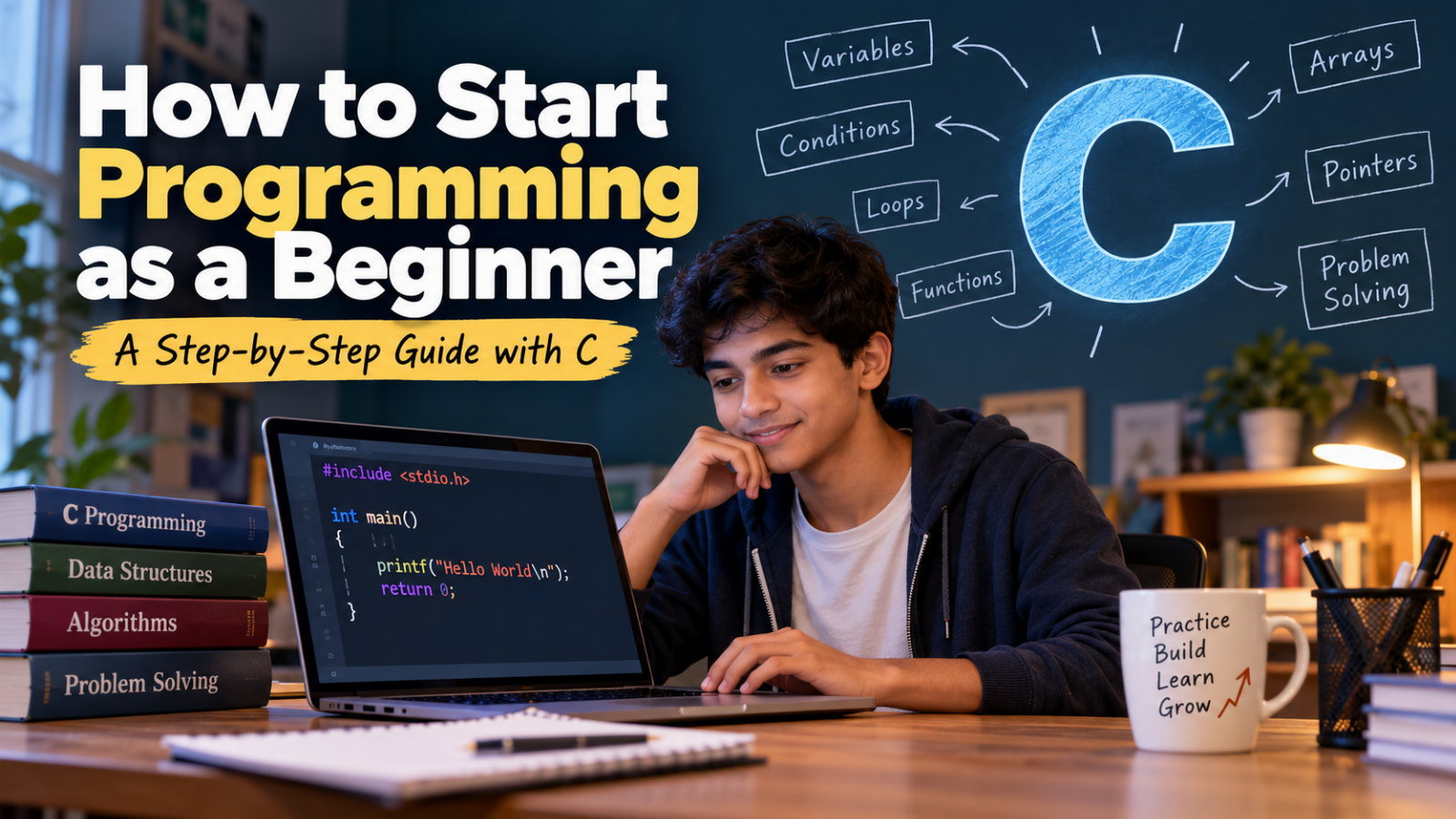
If you are a college student who has just started learning programming, you may be feeling a little confused.
You may have heard words like variables, loops, functions, arrays, pointers, and algorithms and wondered:
"Where do I even start?"
Don't worry.
Almost every programmer was once a beginner who didn't understand what int main() meant.
The good news is that programming is a skill that can be learned step by step. You don't need to be a genius, a mathematics expert, or someone who has been using computers since childhood.
You simply need to learn how to think about a problem and break it into smaller steps.
In this guide, we will start from the absolute beginning and learn programming using C, one of the most important languages for undergraduate computer science students.
Why Start With C?
You might be wondering:
"There are so many languages like Python, Java and JavaScript. Why should I learn C?"
That's a perfectly reasonable question.
C is an older programming language, but it remains extremely important in computer science education.
Learning C gives you a strong foundation in:
- Variables
- Data types
- Operators
- Conditions
- Loops
- Functions
- Arrays
- Strings
- Pointers
- Memory
- Structures
- Algorithms
- Data structures
More importantly, C helps you understand what is actually happening inside a computer.
Languages such as Python often hide many of these details from you. C gives you a closer look at how programs work.
So don't think of C as an outdated language.
Think of it as a foundation for learning programming and computer science.
First Understand What Programming Actually Means
Before writing your first C program, let's understand what programming really is.
Imagine you want to make a cup of tea.
You wouldn't simply tell yourself:
"Make tea."
You would follow a sequence of steps:
- Take a cup.
- Boil some water.
- Add tea.
- Add milk.
- Add sugar.
- Stir.
- Serve.
These are instructions.
Programming works in exactly the same way.
You give a computer a sequence of instructions to solve a problem.
For example:
Take two numbers → add them → display the result.
A computer doesn't naturally understand this instruction in English.
So we use a programming language such as C.
For example:
#include <stdio.h>

int main()
{
    int a = 10;
    int b = 20;

    int sum = a + b;

    printf("Sum = %d", sum);

    return 0;
}
The computer produces:
Sum = 30
That's programming.
Don't Try to Memorize Programs
This is one of the biggest mistakes beginners make.
A student sees a program like this:
#include <stdio.h>

int main()
{
    int a, b;

    printf("Enter two numbers: ");
    scanf("%d %d", &a, &b);

    printf("Sum = %d", a + b);

    return 0;
}
They memorize it.
Then the teacher changes the question slightly.
Suddenly, the student doesn't know what to do.
The problem isn't the student.
The problem is the learning approach.
Don't memorize programs. Understand the logic behind them.
Whenever you see a programming problem, ask:
- What information do I have?
- What do I need to calculate?
- What should the output be?
- What steps are needed?
- Do I need a condition?
- Do I need repetition?
This is how programmers think.
Your First C Program
Let's begin with the traditional first program:
#include <stdio.h>

int main()
{
    printf("Hello World");

    return 0;
}
When you run it, you get:
Hello World
It may look extremely simple.
And it is.
But let's understand what is happening.
Understanding #include <stdio.h>
At the beginning of the program, we have:
#include <stdio.h>
This tells the C compiler that we want to use functionality provided by the standard input/output library.
For example, functions such as printf() and scanf() are available through this library.
For now, you can simply remember:
#include <stdio.h>
is commonly used when your C program needs standard input and output.
You will understand libraries in greater detail as you progress.
Understanding main()
Every C program needs a starting point.
That starting point is the main() function.
int main()
{
    // Your program starts here
}
You can think of main() as saying:
"Start executing my program from here."
What Are { }?
You will see curly braces everywhere in C.
For example:
int main()
{
    printf("Hello World");
}
The { and } define a block of code.
Everything between them belongs to that particular block.
You will encounter the same idea with conditions and loops.
For example:
if (age >= 18)
{
    printf("Eligible");
}
The code inside the braces belongs to the if statement.
What Is a Variable?
Now let's learn one of the most important concepts in programming: variables.
Imagine that you have several boxes.
One box contains your age.
Another contains your marks.
Another contains your name.
Each box has a name and stores some information.
A variable works in a similar way.
For example:
int age = 20;
This means:
Create a variable called
ageand store the value20in it.
Another example:
int marks = 85;
Here, marks is the name of the variable and 85 is its value.
Understanding Data Types
A computer needs to know what kind of data a variable will store.
For example:
int age = 20;
int means integer.
Integers are whole numbers such as:
10
25
100
-5
0
For decimal values, we can use float.
float temperature = 36.5;
Some commonly used C data types are:
| Data Type | Example |
|---|---|
int |
25 |
float |
25.5 |
double |
25.56789 |
char |
'A' |
Don't worry about memorizing all data types immediately.
You will use them repeatedly, and they will become familiar naturally.
Displaying Information Using printf()
The printf() function is used to display information on the screen.
For example:
printf("Hello World");
Output:
Hello World
You can also print variables.
int age = 20;

printf("%d", age);
Output:
20
The %d tells C that we want to display an integer.
For example:
int marks = 85;

printf("My marks are %d", marks);
Output:
My marks are 85
Getting Input from the User
A program becomes much more interesting when it can interact with the user.
Suppose we want the user to enter their age.
We can write:
#include <stdio.h>

int main()
{
    int age;

    printf("Enter your age: ");
    scanf("%d", &age);

    printf("Your age is %d", age);

    return 0;
}
The program might look like this when executed:
Enter your age: 20
Your age is 20
Now the program is not simply displaying information.
It is taking information from the user and processing it.
What Is scanf()?
The scanf() function is commonly used to take input from the user.
For example:
scanf("%d", &age);
This tells C to read an integer and store it in the variable age.
You will notice the & symbol:
&age
Don't worry if you don't understand this yet.
Later, when you learn pointers and memory, you will understand why it is used.
You don't have to understand every advanced concept before you start programming.
Some concepts make much more sense when you reach them later.
Your First Programming Problem
Let's solve a very simple problem.
Problem
Write a program to add two numbers.
Before writing code, don't rush to the keyboard.
Think about the problem.
We need:
- First number
- Second number
- Add the two numbers
- Display the result
That's already an algorithm.
Now let's write the C program:
#include <stdio.h>

int main()
{
    int a, b;

    printf("Enter two numbers: ");
    scanf("%d %d", &a, &b);

    int sum = a + b;

    printf("Sum = %d", sum);

    return 0;
}
If the user enters:
10 20
the output will be:
Sum = 30
Notice what we did.
We didn't memorize the program.
We broke the problem into small steps and translated those steps into C.
Making the Computer Make Decisions
So far, our programs have simply followed instructions.
But programming becomes much more powerful when the computer can make decisions.
Suppose we want to determine whether a student is eligible to vote.
The rule is simple:
If age >= 18
    Eligible

Otherwise
    Not eligible
This can be written in C using if-else.
#include <stdio.h>

int main()
{
    int age;

    printf("Enter your age: ");
    scanf("%d", &age);

    if (age >= 18)
    {
        printf("Eligible to vote");
    }
    else
    {
        printf("Not eligible to vote");
    }

    return 0;
}
The important part isn't memorizing if-else.
The important part is understanding the decision-making logic.
Learning Conditions Through Real Problems
Let's try another example.
Suppose we want to determine whether a number is positive, negative, or zero.
First think about the logic:
If number > 0
    Positive

Otherwise if number < 0
    Negative

Otherwise
    Zero
Now convert it into C:
#include <stdio.h>

int main()
{
    int number;

    printf("Enter a number: ");
    scanf("%d", &number);

    if (number > 0)
    {
        printf("Positive");
    }
    else if (number < 0)
    {
        printf("Negative");
    }
    else
    {
        printf("Zero");
    }

    return 0;
}
Again, the important skill is not memorizing the code.
It is learning to translate a real-world decision into programming logic.
Now Let's Talk About Loops
Imagine I ask you to print numbers from 1 to 10.
You could write:
printf("1\n");
printf("2\n");
printf("3\n");
printf("4\n");
printf("5\n");
and so on.
But what if I ask you to print numbers from 1 to 10,000?
Writing thousands of printf() statements would be ridiculous.
This is where loops become useful.
A loop tells the computer:
"Repeat this instruction until a particular condition is satisfied."
For example:
for (int i = 1; i <= 10; i++)
{
    printf("%d\n", i);
}
Output:
1
2
3
4
5
6
7
8
9
10
The computer is doing repetitive work for us.
That's one of the reasons programming is so powerful.
Understanding the for Loop
Look carefully at:
for (int i = 1; i <= 10; i++)
There are three important parts.
Initialization
int i = 1;
We start with 1.
Condition
i <= 10
The loop continues while i is less than or equal to 10.
Increment
i++
Increase i by 1.
So the computer effectively performs:
i = 1 → print
i = 2 → print
i = 3 → print
...
i = 10 → print
stop
Once you understand this sequence, loops become much less intimidating.
Practice Is More Important Than Watching Tutorials
This is one of the most important things you should remember.
You can watch:
- 10 YouTube videos
- 5 programming courses
- 20 classroom lectures
and still struggle to write a program.
Why?
Because programming is a skill, not a spectator sport.
You don't learn programming by watching someone else type.
You learn programming by typing, experimenting, making mistakes and solving problems yourself.
If you learn if-else, write several programs using conditions.
If you learn loops, solve several problems using loops.
If you learn arrays, write programs using arrays.
Your First C Programming Practice Set
Once you understand variables, input/output, conditions and loops, start solving small problems.
Try these:
- Print your name.
- Add two numbers.
- Find the area of a circle.
- Convert Celsius to Fahrenheit.
- Check whether a number is positive or negative.
- Check whether a number is even or odd.
- Find the largest of two numbers.
- Find the largest of three numbers.
- Print numbers from 1 to 10.
- Print the multiplication table of a number.
- Calculate the factorial of a number.
- Check whether a number is prime.
- Reverse a number.
- Check whether a number is a palindrome.
- Find the sum of digits of a number.
Don't worry if these problems look simple.
Simple problems build the foundation for difficult problems.
Build Small Projects
Once you know the basics, don't immediately try to build a huge application.
Start with a small project.
For example, build a Student Marks Calculator.
The program can ask the user to enter marks for five subjects.
#include <stdio.h>

int main()
{
    int m1, m2, m3, m4, m5;
    float percentage;

    printf("Enter marks of five subjects:\n");

    scanf("%d", &m1);
    scanf("%d", &m2);
    scanf("%d", &m3);
    scanf("%d", &m4);
    scanf("%d", &m5);

    percentage = (m1 + m2 + m3 + m4 + m5) / 5.0;

    printf("Percentage = %.2f", percentage);

    return 0;
}
Now improve it.
For example, you could add a grade.
if (percentage >= 90)
{
    printf("Grade: A");
}
Then add more conditions.
You have now combined several programming concepts:
- Variables
- Input
- Arithmetic
- Conditions
- Output
This is how you gradually move from individual concepts to complete programs.
Learn Functions
As programs become larger, putting everything inside main() becomes difficult to manage.
Imagine having a program with hundreds of lines:
int main()
{
    // Hundreds of lines of code
}
That becomes difficult to understand.
Instead, we divide the program into smaller pieces called functions.
For example:
int add(int a, int b)
{
    return a + b;
}
We can then call the function:
int result = add(10, 20);
The function receives two numbers, adds them and returns the result.
You can think of a function as a small machine:
10 + 20
   ↓
[ ADD FUNCTION ]
   ↓
  30
Functions help us write programs that are organized, reusable and easier to understand.
Learn Arrays
Suppose you want to store marks of five students.
You could create:
int mark1;
int mark2;
int mark3;
int mark4;
int mark5;
But what if there are 100 students?
Creating 100 separate variables would be inconvenient.
That's why C provides arrays.
For example:
int marks[5] = {80, 75, 90, 85, 88};
You can access individual elements:
printf("%d", marks[0]);
Output:
80
Arrays allow us to store multiple values of the same data type under one variable name.
Arrays are extremely important because they form the foundation for many algorithms and data structures.
Don't Be Afraid of Pointers
Eventually, you will encounter something like this:
int *ptr;
And you may think:
"What is this?"
Don't panic.
Pointers are one of the topics that many beginners find difficult when learning C.
But you don't need to learn pointers on your first day.
A sensible learning sequence is:
- Variables
- Input and output
- Operators
- Conditions
- Loops
- Functions
- Arrays
- Strings
- Pointers
- Structures
- File handling
- Data structures
Learn one layer at a time.
You don't need to climb the entire mountain on your first day.
Learn to Debug Your Programs
Here's something experienced programmers know:
Programmers don't write perfect code.
They write code.
It doesn't work.
They read the error.
They investigate.
They fix it.
Then another error appears.
They fix that too.
That's normal.
Suppose you write:
printf("Hello World")
You forgot the semicolon.
The compiler may display an error.
Don't immediately think:
"C is too difficult."
Instead ask:
"What is the compiler trying to tell me?"
Errors are not your enemy.
Errors are feedback.
Learn to Read Error Messages
Suppose you see an error such as:
error: expected ';' before 'return'
The compiler is essentially telling you:
"I expected a semicolon before
return."
Look at the previous statement.
Maybe you wrote:
printf("Hello World")
return 0;
The correct version is:
printf("Hello World");
return 0;
The better you become at understanding error messages, the faster you will become at programming.
Use AI as a Tutor, Not as a Shortcut
Today, students have access to powerful AI tools.
That's a great advantage.
But use them carefully.
Suppose your assignment is:
Write a C program to reverse a number.
You could ask an AI:
Write the complete C program to reverse a number.
Copy the answer.
Run it.
Submit it.
But what did you actually learn?
A better approach is:
Explain the logic for reversing a number in C.
Don't give me the complete program yet.
Understand the explanation.
Then write the program yourself.
If you get stuck, ask:
Here is my C program.
Can you give me a hint about where my logic is wrong?
This approach makes AI a learning assistant rather than a replacement for your thinking.
Use AI to understand code, debug code and get hints. Don't let it do all your thinking.
Learn to Think Before You Code
Whenever you receive a programming problem, don't immediately start typing.
Take a minute.
Ask yourself:
- What is the input?
- What is the expected output?
- What calculations are required?
- Do I need a condition?
- Do I need repetition?
- Can I divide the problem into smaller functions?
For example:
Find the largest of three numbers.
Don't immediately write code.
First think about the logic.
If a > b AND a > c
    a is largest

Otherwise if b > a AND b > c
    b is largest

Otherwise
    c is largest
Only after understanding the logic should you convert it into C.
This separation between problem solving and coding is one of the most important habits you can develop.
Syntax vs Problem Solving
You might learn all of these:
if
for
while
array
function
and still find programming difficult.
That's normal.
Programming has two important parts.
Syntax
Syntax is knowing how to write the language correctly.
For example:
for (int i = 0; i < 10; i++)
{
    printf("%d\n", i);
}
Problem Solving
Problem solving is knowing when and why to use the loop.
The second skill is extremely important.
You don't become a programmer simply by memorizing syntax.
You become a programmer by learning how to solve problems using code.
Don't Compare Yourself With Other Students
This is especially important when you are learning programming in college.
You may sit in a programming lab and see another student writing code very quickly.
You may think:
"Everyone understands this except me."
That's probably not true.
Some students may have already learned programming in school.
Others may have never written a program before.
Some students understand syntax quickly.
Others take longer but eventually develop strong fundamentals.
Programming is not a race.
Don't ask:
"Am I faster than my friend?"
Ask:
"Can I solve a problem today that I couldn't solve yesterday?"
That's real progress.
A Simple 30-Day C Programming Roadmap
If you're starting from absolute zero, don't try to learn everything in one week.
Here's a simple roadmap.
Week 1: Programming Foundations
Learn:
- What programming is
- Structure of a C program
main()- Variables
- Data types
printf()scanf()- Arithmetic operators
- Relational operators
Practice:
- Addition
- Subtraction
- Multiplication
- Division
- Area calculations
- Temperature conversion
Week 2: Decision Making and Loops
Learn:
ifif-elseelse-if- Nested
if switchforwhiledo-while
Practice:
- Even or odd
- Positive or negative
- Largest number
- Grade calculation
- Factorial
- Prime number
- Multiplication tables
- Number patterns
Week 3: Functions, Arrays and Strings
Learn:
- Functions
- Parameters
- Return values
- Arrays
- Two-dimensional arrays
- Strings
Practice:
- Array sum
- Maximum and minimum
- Searching
- Sorting basics
- String length
- String comparison
- String reversal
Week 4: Intermediate C
Learn:
- Pointers
- Structures
- File handling
- Dynamic memory basics
Then start learning:
Data Structures and Algorithms.
This is where your C programming knowledge becomes particularly useful.
How Much Should You Practice Every Day?
You don't need to spend six hours every day learning C.
For a beginner, even 45–60 minutes of focused practice every day can make a big difference.
A simple routine could be:
10 minutes → Learn a concept

20 minutes → Write examples

20 minutes → Solve problems

10 minutes → Review your mistakes
The key is consistency.
Thirty minutes every day is often more useful than five hours once a week.
Your First Mini Challenge
Before moving to advanced topics, try this problem yourself.
Challenge
Write a C program that:
- Takes a student's marks as input.
- Checks whether the student has passed.
- If the student has passed, displays the grade.
- Otherwise, displays
Fail.
Before writing the code, write the logic.
For example:
Input marks

If marks < 40
    Fail

Otherwise if marks >= 90
    Grade A

Otherwise if marks >= 75
    Grade B

Otherwise
    Grade C
Now try converting that logic into C.
If you make mistakes, that's perfectly fine.
Those mistakes are part of learning.
What Should You Do After Learning the Basics?
Once you are comfortable with the fundamentals of C, don't stop at writing small programs.
Start solving problems.
Then gradually move towards:
- Algorithms
- Arrays
- Searching
- Sorting
- Recursion
- Linked lists
- Stacks
- Queues
- Trees
- Graphs
- File handling
- Dynamic memory
- Data structures
Eventually, you'll start solving problems that initially looked impossible.
That's when the different concepts you've learned begin to connect.
Final Thoughts: You Can Learn Programming
If you're starting programming today, you may feel overwhelmed.
You may see code like:
#include <stdio.h>

int main()
{
    int *ptr;

    // ...
}
and think:
"How am I ever going to understand this?"
You will.
But you don't need to understand it today.
You learn programming one concept at a time.
First:
Hello World
Then:
Variables
Then:
Input / Output
Then:
Conditions
Then:
Loops
Then:
Functions
Then:
Arrays
Then:
Pointers
Then:
Data Structures
And eventually, the things that once looked frightening will start looking familiar.
The most important thing to remember is this:
Don't try to become an expert programmer overnight. Try to become a slightly better programmer every day.
Write code.
Break code.
Make mistakes.
Read the errors.
Fix them.
Try again.
And slowly, almost without noticing, you will start thinking like a programmer.
That's where the real journey begins.